Four apps. None of them talk. You’re the glue.
You slice in Studio, start prints in Handy, buy labels in ShipStation, and track stock in your head. Nothing shares state — so you are the integration layer, re-keying orders, remembering what’s on the shelf, and guessing what to print next. Every task is a detour through another tab.
The print side collapses the same way — a tap starts a pinned design, no round-trip through Handy or Studio to find it and send it.
One loop that updates itself.
PrintToShip turns those four tools into a single loop. A sale reshuffles what to print. A finished plate books its own stock. You see all of it — and act on it — from the iPad or your phone.
Your farm plans its own day.
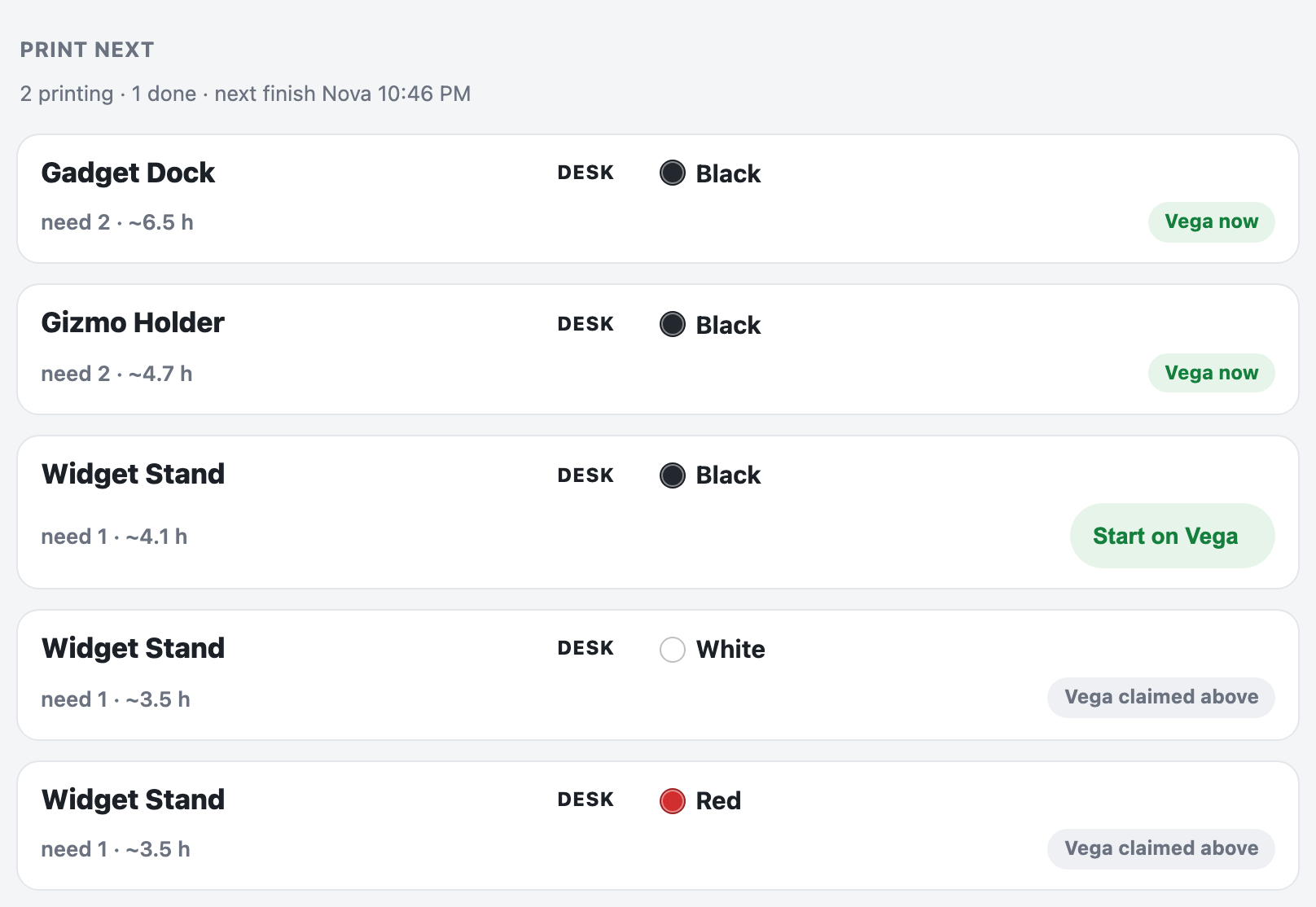
Print Next ranks what’s needed most — backorders first, then days of stock — and matches every row to the printer that already has the right filament loaded. Ready ones get a Start button; the rest say exactly what they’re waiting for. Come home to a plan, not a guess.

It clears its own plate.
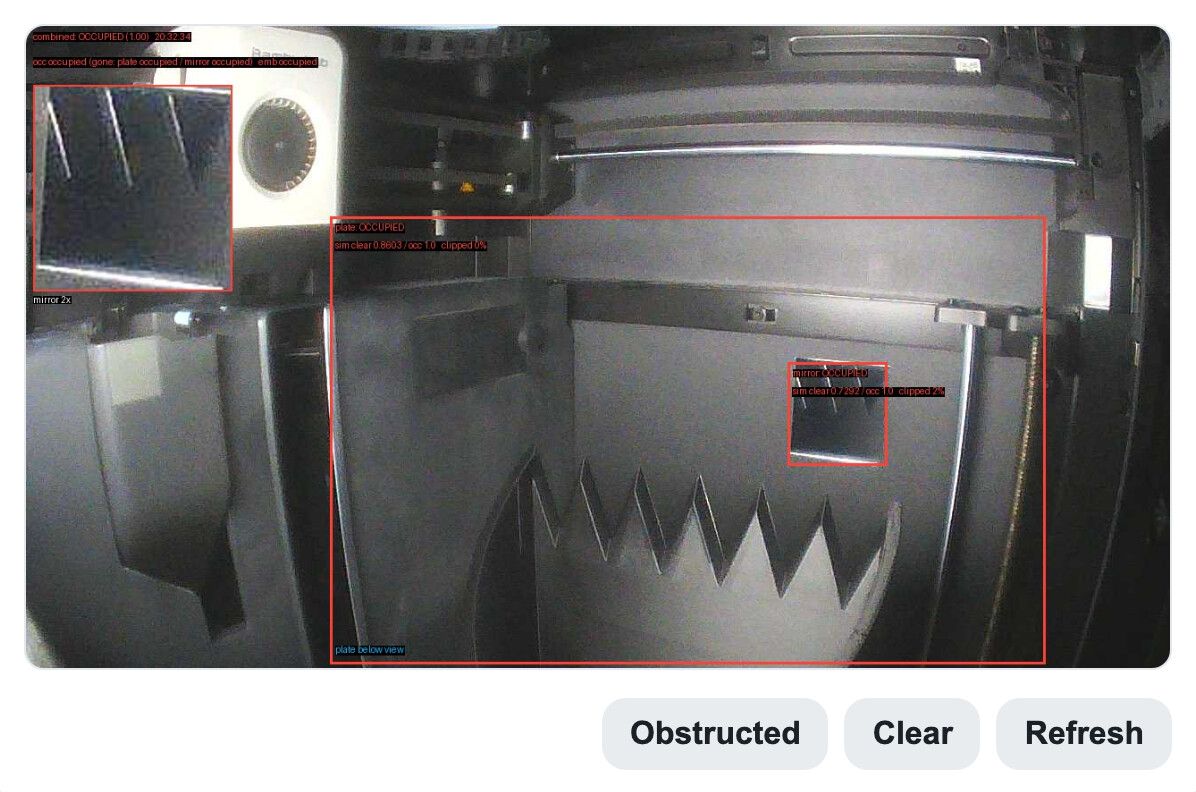
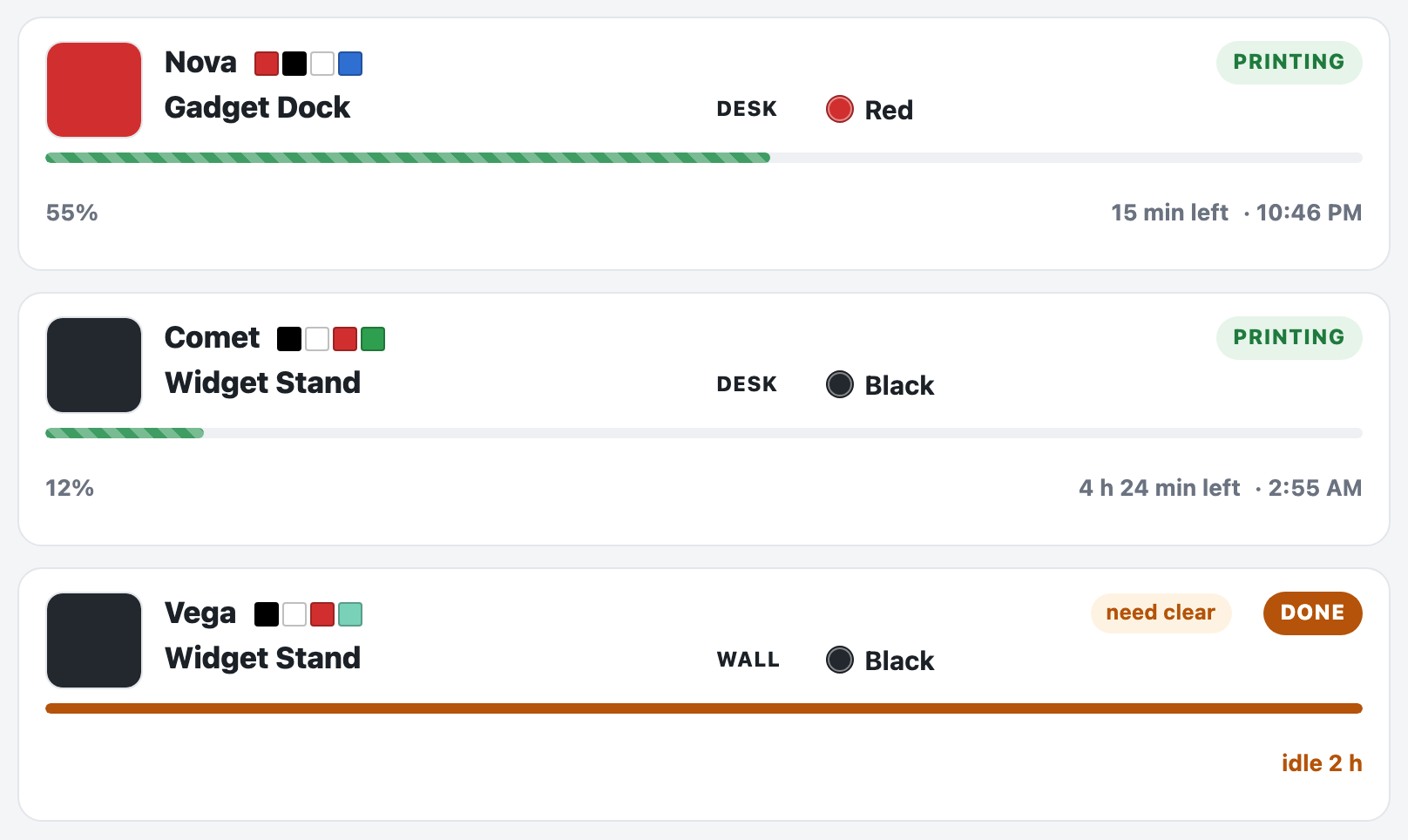
When a print finishes, a camera checks the bed. Two clear frames and the job books itself to stock and frees the machine for the next one — and it won’t fire onto a plate that isn’t actually clear. This is the part that runs while you’re not watching.
From sold to shipped, without the tab-juggling.
The same four tabs you know — but each step hands off to the next instead of waiting for you to carry it across.
An order lands
Pulled from ShipStation and already sitting in the print queue if you’re short — with a new-order ping to the bench.
It prints and collects itself
The plate finishes, the camera clears it, and stock books back up — no checkbox, no note-to-self.
Pack & ship in two taps
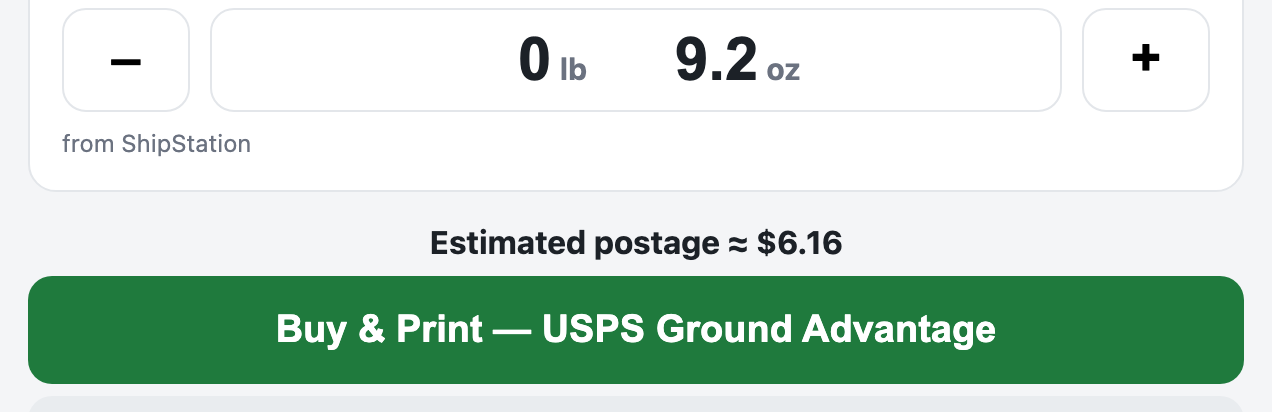
Box and weight pre-fill from the catalog; one tap buys the USPS label and prints it with a slip that says who, what, which color — not the listing’s keyword-stuffed title.
Nothing’s forgotten on the bench
Every printed label waits in Drop-off until USPS actually scans it — then the row clears itself. The two-day-old one turns amber before a customer asks.

Built on the tools you already trust.
ShipStation still buys the postage. Handy and Studio are still there for the advanced cases. Your orders and print history stay native — PrintToShip just removes the tab-juggling between them.
What it’s not: not a slicer, not a storefront, not another silo to keep in sync.
Built where it’s used: run on a working farm every day — not a mockup, not a deck.
Made for the small farm.
One or two people. Three to ten Bambu Lab printers. Selling on Etsy or eBay. Shipping USPS through ShipStation. If that’s your bench, this was built for it — tell us about yours and you’re on the list. Not sure yet? Try the live demo first.
You’re on the list — we’ll be in touch when early access opens.